Getting started.
Four steps, ten minutes. Start read-only if you want to; you can grant more later without reconnecting.
0. Take the tour
On first sign-in the product runs a two-minute guided tour that drives itself: it asks a question, reads the answer off the globe, proposes a change and stops at the approval card. Let it run once. Everything below will already look familiar.
1. Connect a Cloudflare token
Cloudflare has no OAuth for third-party apps, so you create an API token yourself. Zonesteward's connection wizard builds a pre-filled token-creation link with exactly the permission groups it needs, in three tiers:
- Core (required) — zones and analytics, read and write for WAF, cache and rate-limit rules, cache purge, DNS and zone settings, and the token's view of its own permissions. Enough for every question, the globe, and approved changes to rules, DNS and settings.
- Operate — adds redirects, transform and header rules, config and origin rules, cache settings, IP access rules and lockdowns, SSL and certificates, managed rulesets and bulk redirects.
- Extended — adds health checks and load balancers, Logpush, Cloudflare notifications, waiting rooms, Turnstile, email routing, Workers and Access visibility, account-wide analytics, and creating or pausing zones.
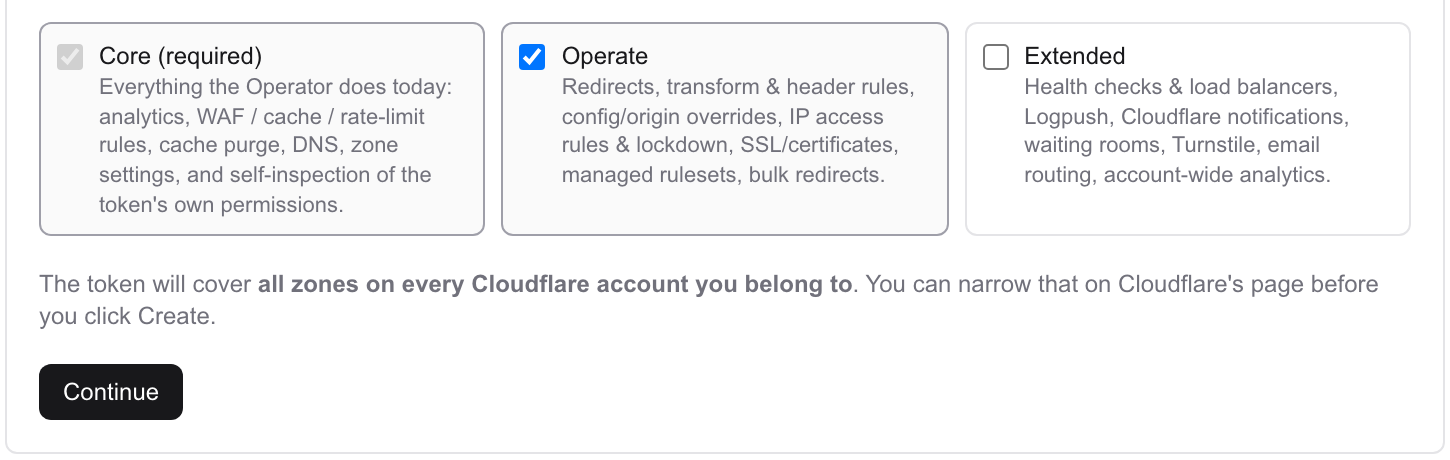
Prefer to start read-only? Create a token with only read permissions yourself and paste it. Every write action stays unavailable until the token can do it.
Paste the token back and the wizard introspects it and tells you precisely what it can and can't do. Permissions are never discovered by attempting a write. If you grant more later, re-check in Settings → Tokens and it takes effect without reconnecting.
Use a dedicated token per Cloudflare account, scoped to the zones you want visible. Tokens are encrypted at rest and never leave the server. How they're held.
2. Pick your zones
Every zone the token can see appears in the fleet roster with its plan tier. Group them — by client, by environment, however you think about them. Groups drive bulk changes and share-link scoping later.
Cloudflare gates parts of its analytics API by plan. Free zones can't return per-colo data, some datasets are Pro and above, and retention is shorter. Zonesteward treats all of that as expected and degrades per zone rather than failing the batch; the fleet audit in Settings → Developer shows you exactly what each zone can and can't answer.
3. Ask something
Start with the question you'd ask a colleague:
- Who is attacking us right now?
- Why is example.com slow from Germany this week?
- Which zones are still on TLS 1.0?
- Show me every 5xx in the last hour, by path.
Ten of these, with what it checks and what it proposes →
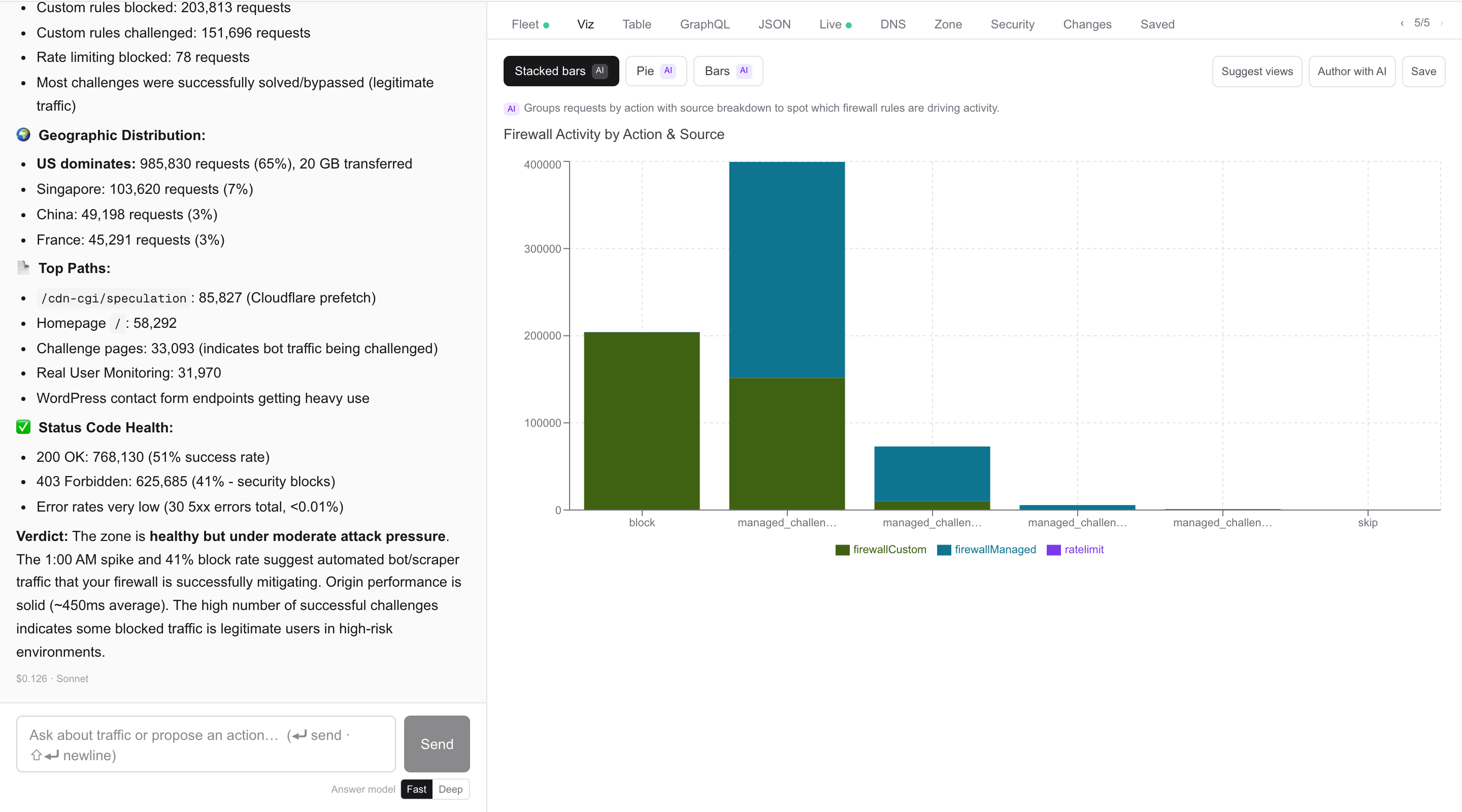
The model writes the GraphQL; the server scopes it to your active zone or group. Answers drop into the conversation with their evidence, so the next question starts from data.
4. Approve a change
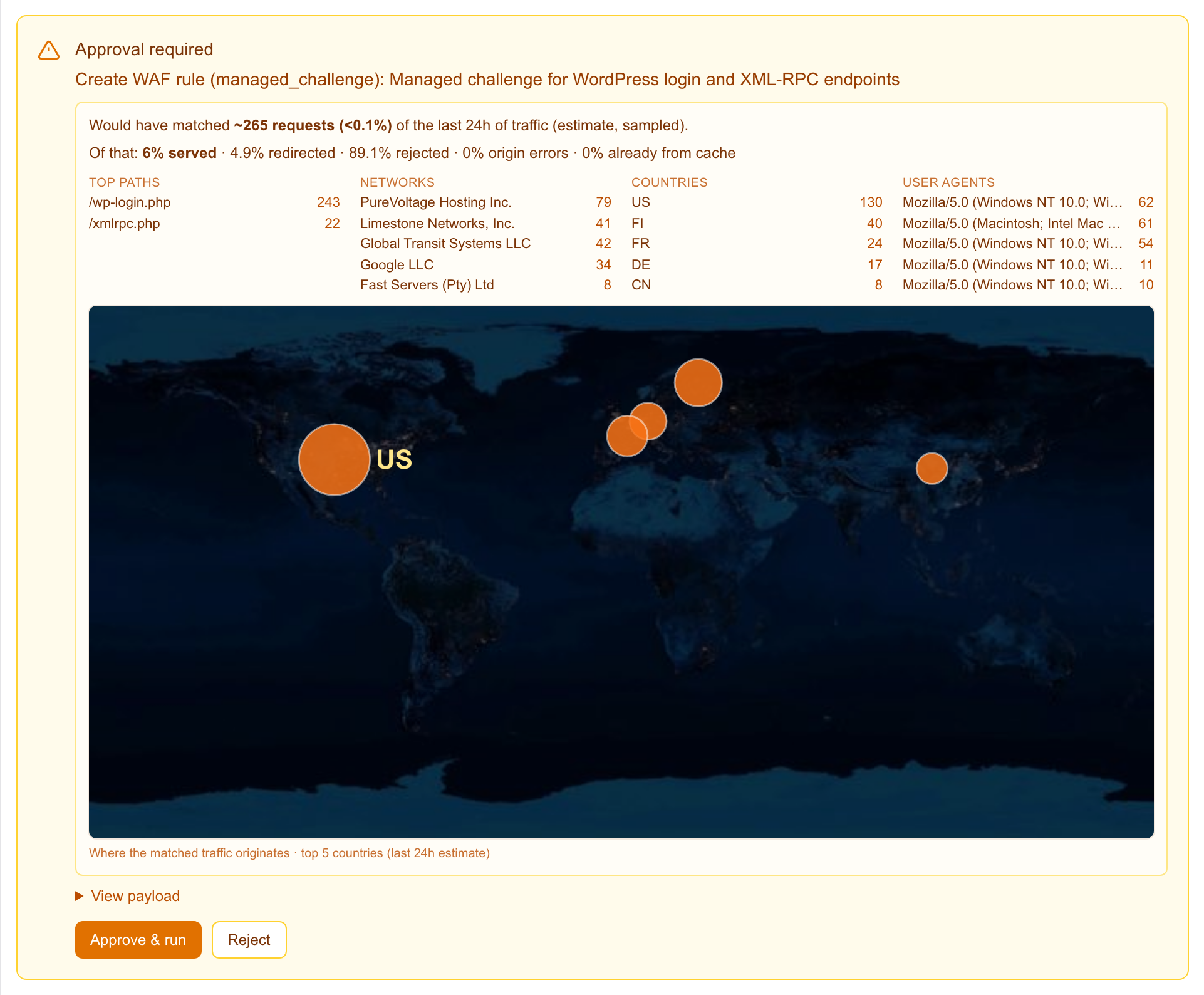
Ask for a change — "challenge that IP on every client zone" — and you get an approval card: the zone, the exact change, its impact level, and for firewall rules how many of your last 24 hours' requests it would have matched. Approve or reject. The server checks nothing moved since you looked, executes, reads the result back from Cloudflare, and records how to undo it. The whole pipeline.
5. Turn a question into an alert
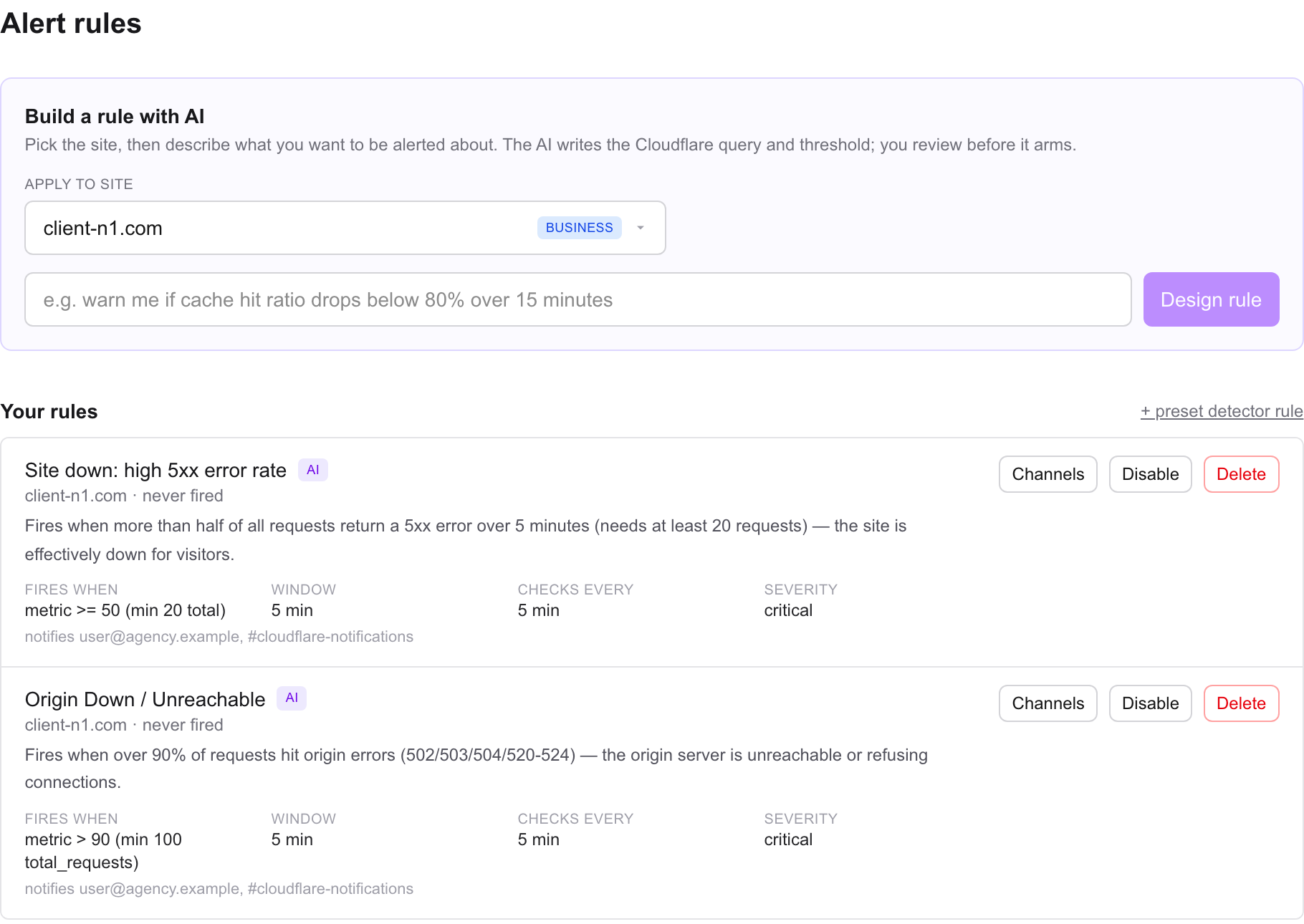
Anything you can ask about, you can watch. This one lives on its own page, not in the chat: open Alerts → Rules, describe what would worry you — "tell me if cache hit ratio on any client zone drops below 60% for half an hour" — and the model composes the rule: the query, the threshold, the window, a minimum volume so quiet hours can't trip it. It's dry-run against the zone before you arm it, and the preview tells you in plain words what it will do. Pick the channels, arm it, done.
Bring your own model
Zonesteward calls the model provider you choose, under your own key, so usage is billed to you at the provider's rates and never marked up. Settings → AI takes Anthropic, OpenAI, or any OpenAI-compatible endpoint — including one you host, if you'd rather nothing leave your network. Pick a model per job, then Test and save: it makes one tiny call that asks the model for structured output, because a model that can't do that can't compose graphs or alert rules, and you'd rather learn that now than mid-incident. Keys are stored the same way Cloudflare tokens are.
Need more?
Fuller docs are coming as the beta shapes them. Until then, email — in beta you're talking to the person who wrote the code.